


Office chairs without adjustable lumbar support have a lower-back support area that cannot be repositioned or fine-tuned by the user. The chair may still provide lumbar support through the shape, tension or construction of the backrest, but the position or depth of that support is fixed.
A fixed lumbar design can be suitable for many office, meeting and visitor chairs, particularly when the backrest has been shaped to support a broad range of users without requiring additional adjustment.
What does “no adjustable lumbar support” mean?
When a chair does not have adjustable lumbar support, the lower-back support remains in a predetermined position during normal use. The user cannot move the lumbar section up, down, forward or backward.
This does not necessarily mean that the chair provides no lumbar support at all. Many backrests include an integrated curve or flexible structure designed to support the lower back without a separate adjustment control.
The exact level of support depends on the chair design, backrest shape, materials and the proportions of the individual user.
When is fixed lumbar support suitable?
Office chairs without adjustable lumbar support can be suitable for a wide range of workplace applications, including:
- Meeting and conference rooms
- Visitor and reception seating
- Training and presentation spaces
- Executive offices
- Assigned workstations
- Task chairs designed around a supportive fixed backrest
The suitability of a fixed lumbar design depends on how long the chair will be used and how well the backrest fits the intended users.
Benefits of fixed lumbar support
A chair without adjustable lumbar support can offer several practical advantages:
- Simple chair operation
- No separate lumbar control to adjust
- Consistent support position
- Fewer moving components
- Suitable for chairs designed to accommodate a broad user range
- Practical for meeting and visitor environments
- Less risk of users setting the lumbar support incorrectly
Fixed lumbar support and office ergonomics
The lumbar area of a chair is intended to support the natural shape of the lower back while allowing the user to sit comfortably against the backrest.
With fixed lumbar support, it is important that the position and shape of the support work reasonably well for the intended user. If the support sits too high, too low or feels excessively pronounced, the user may find the chair uncomfortable during prolonged use.
For task seating, lumbar support should be considered together with seat height, seat depth, backrest movement, armrests and the overall workstation setup.
Read our ergonomic workstation setup guide for more information about coordinating the chair, desk and computer equipment.
Fixed lumbar support vs adjustable lumbar support
The main difference is whether the user can change the position or intensity of the lower-back support.
An office chair with adjustable lumbar support provides additional control and can make it easier to accommodate users with different body dimensions and support preferences.
A fixed lumbar design can still work very well when the shape of the backrest already matches the intended users.
Fixed lumbar support can be suitable when:
- The chair is mainly used for meetings or shorter periods
- The backrest shape already provides comfortable support
- The chair is assigned to a consistent user
- A simpler adjustment system is preferred
- The chair has other useful ergonomic adjustments
Adjustable lumbar support may be preferable when:
- The chair is used for prolonged desk work
- Different employees regularly share the same chair
- The workplace needs to accommodate a broad range of body dimensions
- Users prefer different levels or positions of lower-back support
- Individual ergonomic adjustment is an important requirement
Fixed lumbar support in shared workstations
Shared and hybrid workstations place greater demands on chair flexibility because multiple employees may use the same chair.
A fixed lumbar design may still accommodate many users if the backrest is well shaped and the chair provides sufficient adjustment elsewhere. However, a separately adjustable lumbar support can make it easier to adapt the chair to different torso lengths and preferences.
For shared workplaces, consider whether the chair also includes:
- Adjustable seat height
- Seat-depth adjustment
- Adjustable backrest height
- Adjustable armrests
- A suitable reclining or synchronous mechanism
- Simple and intuitive adjustment controls
Read our guide to ergonomics for shared workstations for more information about selecting chairs for hybrid and hot-desking environments.
Backrest height can influence lumbar position
On some office chairs, the lumbar area is integrated into the complete backrest. If the chair has adjustable backrest height, changing the backrest position may also change where the lumbar curve sits against the user.
Other chairs have both a fixed-height backrest and fixed lumbar support. In these cases, the overall backrest geometry determines how well the chair fits different users.
Always check the individual product specification to understand which parts of the backrest can actually be adjusted.
What else should you consider when choosing an office chair?
Lumbar adjustment is only one part of a complete office-chair specification. Other relevant features can include:
- Seat-height adjustment
- Seat-depth adjustment
- Backrest-height adjustment
- Backrest shape and material
- Reclining or synchronous mechanism
- Adjustable armrests
- Weight or tension adjustment
- Headrest options
- Applicable office-chair standards
- Warranty and replacement-part availability
Read our guide to choosing an office chair for a broader overview of office-chair features and adjustments.
How should fixed lumbar support feel?
The lower-back support should feel supportive without creating excessive pressure or forcing the user into an unnatural position.
The user should be able to sit fully back in the chair while maintaining a relaxed posture. If the fixed lumbar curve feels uncomfortable or poorly positioned, a different chair design or a model with adjustable lumbar support may provide a better fit.
The chair should also work together with the desk and equipment. Lumbar support cannot compensate for an unsuitable seat height, desk height or screen position.
Questions to consider
- How many hours per day will the chair typically be used?
- Will the chair be assigned to one person or shared?
- Does the fixed lumbar position feel comfortable for the intended users?
- Can the user sit fully against the backrest?
- Is the backrest height adjustable?
- Which other chair adjustments are available?
- Does the chair need to accommodate a broad range of body dimensions?
- Would adjustable lumbar support provide meaningful additional flexibility?
- Is the chair intended for task work, meetings or visitor use?
Explore office chairs at Myntwork
Office chairs without adjustable lumbar support can provide a simple and comfortable seating solution when the fixed backrest shape suits the intended users. The complete chair should always be evaluated for fit, adjustability and expected duration of use.
Explore our office chairs or browse the complete Myntwork office furniture collection.
Myntwork
Myntwork
Myntwork
Myntwork
Myntwork
Myntwork
Myntwork
Myntwork
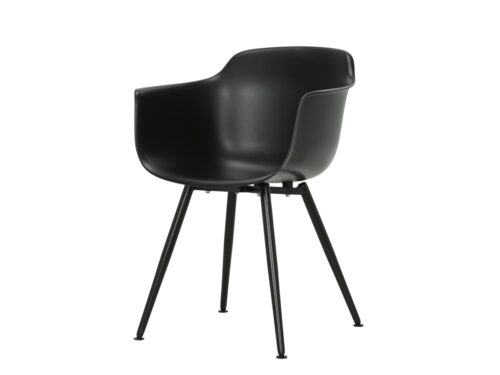
Myntwork

Myntwork
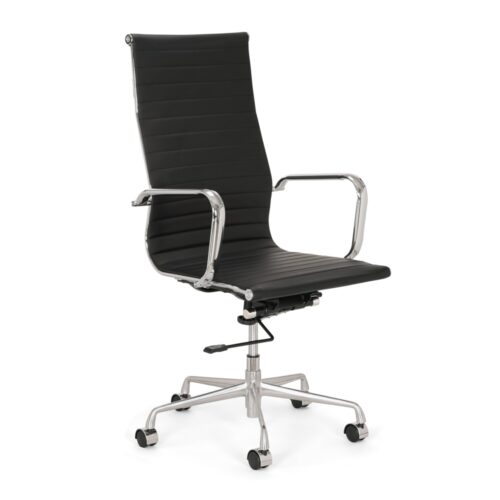
Myntwork
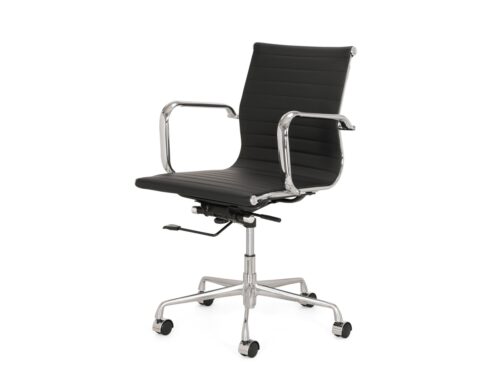
Myntwork

Myntwork
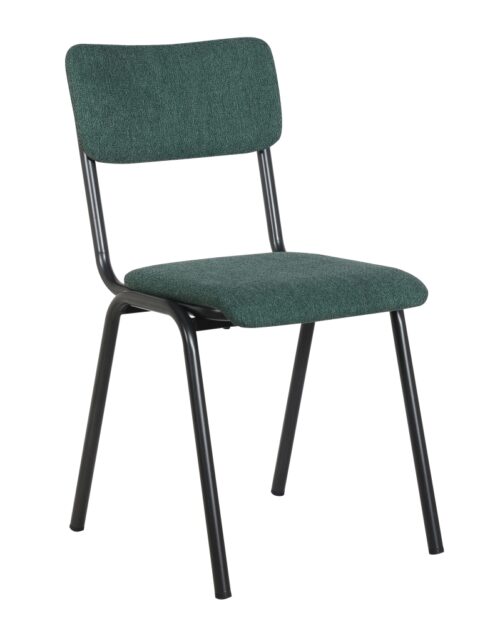
Myntwork

Myntwork

Myntwork

Myntwork

Myntwork

Myntwork
