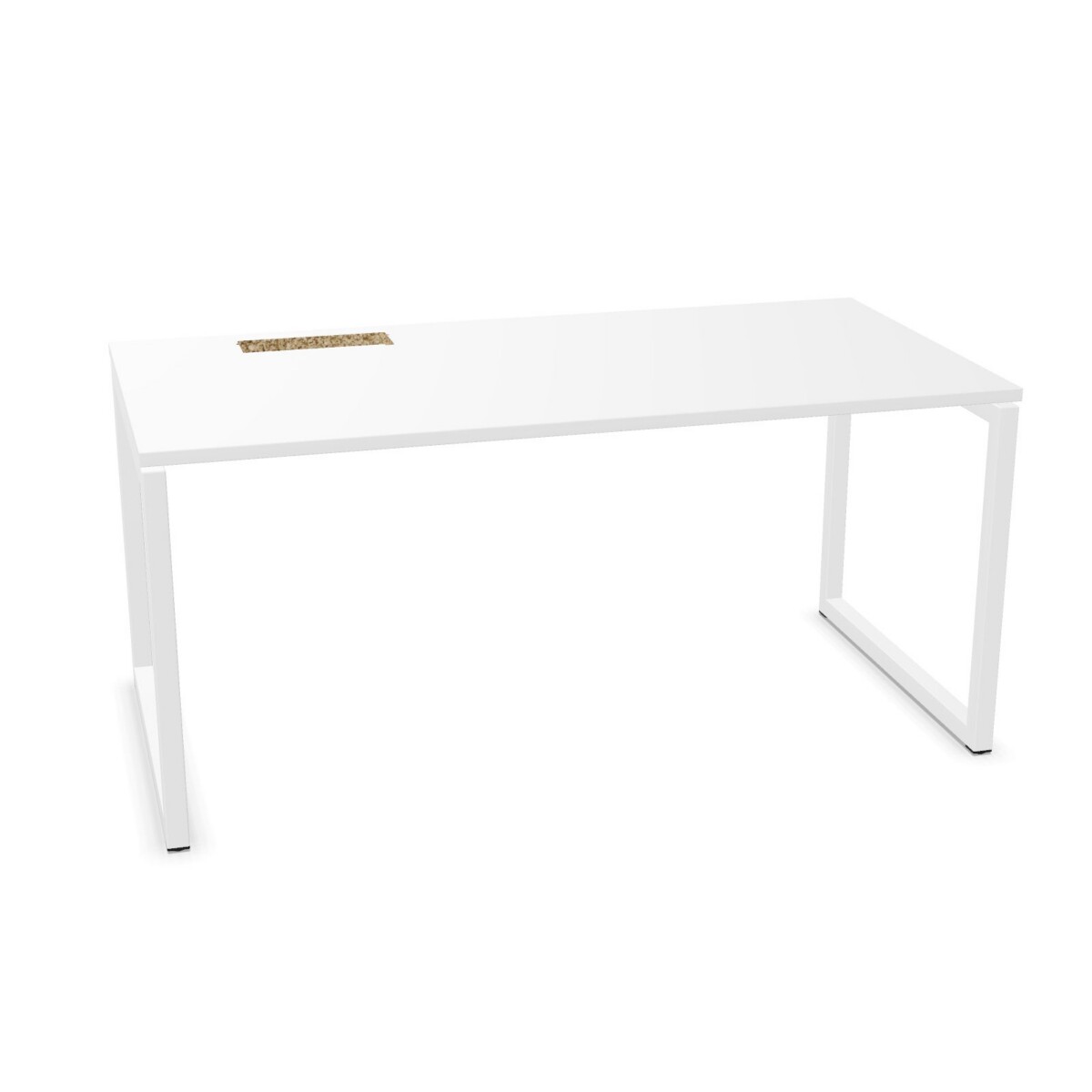
Plan the workstation layout
Start by deciding whether each user needs a separate desk or whether a shared bench arrangement makes better use of the available floor area. NOVA O includes single-person desks and bench configurations for two or more people across the collection. Shared desks can help create consistent workstation rows, while individual desks offer more flexibility when placing workstations around walls, meeting areas or other office furniture.
Before choosing, map the available space and note how people will approach and use each workstation. Compare the dimensions shown on individual listings with the room plan, including clearance for chairs and movement. The collection includes multiple widths and depths, but dimensions vary by model; do not assume every size is available in every layout.
Choose a top and frame that fit the office
NOVA O desks have melamine tops and metal or steel bases. Surface colors listed for the collection include beige, black, blue, grey, white, green and wood tones. Base colors include black, grey, blue, brown, green and white. Confirm the color options on the specific model you are considering, since a color listed for the family may not apply to every configuration.
Frame details also differ across listings. O-leg and continuous-leg styles are represented, along with panel-leg options in the collection attributes. Consider how the base will look alongside nearby furniture and whether its shape suits the layout. The desks are not adjustable, so choose a model that works for the intended seated setup.
Match cable access to your equipment
Think through where monitors, laptops and other desktop equipment will sit, then check how cables can be routed from the work surface. Depending on the model, NOVA O desks may have a cable flap, a round cut-out or grommets. These details can make a difference when organizing cables on a single workstation or across a shared desk.
Some models are suitable for a cable tray, and the collection includes listings both with and without a tray. Review the product details to confirm what is included and whether the cable-access position works for your setup. If you need a particular cut-out location or tray arrangement, make that a deciding factor when comparing models.
What to check before selecting a model
- Confirm the number of users and whether you need a single desk or a shared bench layout.
- Compare the listed width and depth with your room plan and circulation space.
- Check the frame style, top color and base color on the individual listing.
- Verify the cable-access type and whether a cable tray is included.
Once you have narrowed the choice to a layout and set of practical details, compare the remaining models by their listed dimensions and finish options. Myntwork offers Narbutas NOVA O desks on a monthly lease, providing a leasing option for businesses furnishing or updating an office.
Frequently asked questions about Narbutas NOVA O Desk
What is the difference between a single NOVA O desk and a bench desk?
A single desk is configured for one person, while a bench desk brings two or more work positions together in a shared arrangement. Choose based on your team layout, available floor space and how independently workstations need to be placed.
Are Narbutas NOVA O desks height-adjustable?
No. The collection attributes identify these desks as not adjustable. If you need a height-adjustable workstation, check for a different desk family rather than assuming a NOVA O model can be adjusted.
Which NOVA O models have cable access?
Cable details vary by model and include options such as flaps, round cut-outs and grommets. Review each listing to confirm the type and position of access, and whether a cable tray is included or only supported.
What materials and colors are available in the collection?
The tops are melamine, and the bases are metal or steel. Collection color options include several neutrals, blue and green, plus wood tones for surfaces. Confirm availability for the particular desk, as options can differ by model.
How should I choose a size for my office?
Measure the planned workstation area and allow for chair use and movement around the desk. Then compare those measurements with the width and depth shown on each model listing; dimensions vary across the NOVA O range.