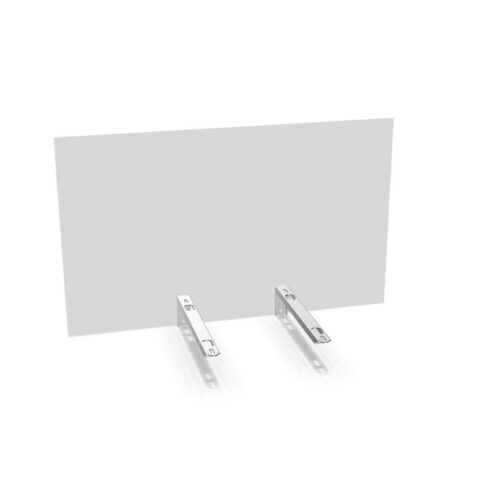
Choosing a screen for your workspace
Start by measuring the desk and deciding how much of its width the screen should cover. The collection includes an 80 cm and a 100 cm example, and its attributes show additional widths up to 200 cm. Compare the listed width with the desk layout, nearby workstations and any items that need to remain within reach. If you are furnishing a row or group of desks, check each selected screen’s dimensions so the arrangement is consistent.
The listed examples are 40 cm high and 6 mm deep. Treat those measurements as details for those product entries, and verify the specifications shown for the exact option you intend to lease. The collection’s depth attributes include several values, so do not assume every listing has identical dimensions.
Match the color to the setting
Choose from the colors listed for the collection: transparent, white, grey, green, blue, orange and red. A transparent option may suit a layout where maintaining a visually open feel is a priority; colored options can help coordinate the screen with an office palette. These are appearance choices, not a promise of a particular level of privacy or sound reduction. Check the product listing to confirm which colors are available for the width you need.
Plan by use case
Individual workstations
For a single desk, compare the screen width with the usable desk surface and consider how the screen will sit in relation to the user’s working area. The collection facts describe acrylic desk screens, but do not specify mounting methods, so check the selected product details for how it is fitted and what is included.
Multiple desks or office refreshes
For a team setup, decide whether every workstation needs the same width and color or whether different desk layouts call for different selections. Make a simple schedule of desk sizes, desired screen widths and colors before choosing. This helps identify any combinations that need confirming against the product listings.
What to check before selecting
- Confirm the width and the 40 cm height against your desk and layout.
- Check the product-specific depth, color and available options.
- Verify fitting details in the listing rather than assuming a mounting method.
- For several workstations, confirm that the selected specifications are consistent where needed.
Myntwork offers Alea products on a monthly lease. Once you have checked the dimensions and color options, review the product details and leasing information for the selections that suit your workspace.
Frequently asked questions about Alea Desk Screen
What widths are available in the Alea Desk Screen family?
The listed examples are 80 cm and 100 cm wide. Collection attributes show widths from 80 cm to 200 cm, so confirm the available width on the individual product listing.
How tall are the Alea acrylic desk screens?
The two listed product examples are 40 cm high. Check the selected listing to confirm its dimensions before planning your desk layout.
Which colors can I choose from?
Collection color attributes include transparent, white, grey, green, blue, orange and red. Options may vary by product, so verify color availability on the listing.
Are all widths and colors available in every combination?
The collection facts do not confirm every possible width-and-color combination. Check the product details for the options offered together on your chosen screen.
Can I lease Alea desk screens through Myntwork?
Yes. Myntwork offers these products on a monthly lease. Review the product and leasing details for the specific selection you are considering.