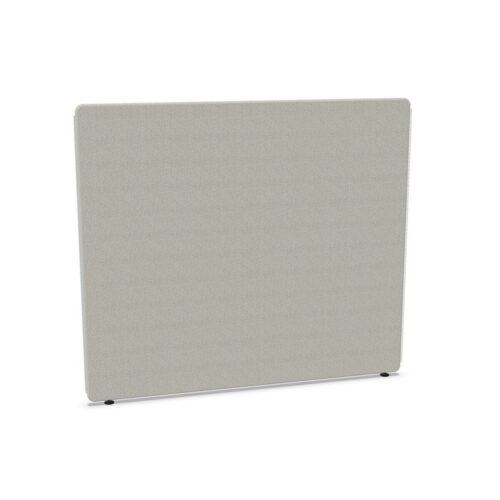
Choose a screen for the way the desk is used
Start by deciding whether you need a front screen, a side screen or both. A front screen is the natural choice when you want a visual boundary across the desk; a side screen can define the edge of a workstation or provide separation between neighboring desks. For a consistent row of desks, consider how the screen widths will align with the furniture and with one another.
The collection includes peak-profile front models and a peak-shaped side screen. This profile gives the screen a distinct outline, so consider how it will look across a bank of workstations as well as how much of the desk it covers. ScreenIT A30 is an acoustic screen family, but the listings do not specify a measurable level of sound reduction. For noise-sensitive settings, assess the complete workspace rather than relying on a desk screen alone.
Compare sizes, mounting and fabric
Check width and height against your desk
Available listings include widths from 80 to 180 cm, with several peak front screens shown at 120, 140, 160 and 180 cm wide. A listed front-screen height is 140 cm, while other collection attributes include heights of 65 and 80 cm. These figures may relate to different models or configurations. Check the individual product dimensions, including how the screen sits in relation to the desktop, before specifying a group of screens.
Confirm the fitting and finish
Mounting is an important distinction within the family: one listing describes a clamp-on Core screen, and another identifies a height-adjustable model. Verify that the selected fitting is suitable for the desk and installation you have in mind. Fabric-covered models include options in Mica fabric. Listed colors span neutrals such as beige, black, grey and white, as well as blue, green, pink, red and other tones; selection varies by model. Use the specific listing to confirm the available fabric and color.
Plan the selection for your workplace
For a single desk, prioritize the screen position and fit. For a larger office, compare widths and profiles across the whole layout, and confirm that the same finish is available for the models you need. It can also help to check how screens affect access to desk controls, monitor placement and shared equipment before finalizing quantities.
Myntwork offers Götessons ScreenIT A30 products on a monthly lease. Once you have identified a suitable format, review the selected model’s dimensions, mounting details and finish, then confirm the quantity needed for your workspace.
Frequently asked questions about Götessons Design Group Acoustic Desk Screen ScreenIT A30
What is the difference between a front screen and a side screen?
A front screen sits across the desk, while a side screen is intended to define the workstation at its edge. Choose based on where you need separation.
Which ScreenIT A30 widths are available?
Collection listings include widths from 80 to 180 cm, including front-screen options at 120, 140, 160 and 180 cm. Check each model for its exact dimensions.
Are all ScreenIT A30 screens mounted the same way?
No. Listings include a clamp-on Core model and a height-adjustable model. Confirm the fitting details on the specific option before selecting it.
What fabric and colors can I choose?
Mica fabric is specified on several models, and the collection has a broad range of listed colors. Fabric and color availability can vary by screen, so check the chosen model.