Bluetooth-controlled sit-stand desks offer a wireless connection as part of their height-adjustment setup. The products here include individual, corner and shared desk forms, so the control feature appears in more than one workstation layout. Wireless operation can be convenient, but a good desk still needs a suitable surface, stable frame, practical height range and clear space to move. Review the exact control method supplied with the model you select.
Understand the control arrangement
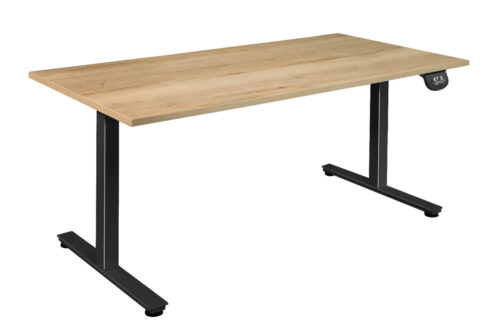
Bluetooth-enabled furniture may connect to a phone or another compatible controller, depending on the product. Check the manufacturer’s instructions for pairing, available functions and any required app. Do not assume that every connected desk offers the same presets or usage features. A conventional handset may also be present, so confirm how the desk can be operated in everyday use.
Bluetooth-controlled sit-stand desks in a shared office need a simple handover between users. Consider who is expected to pair a device and how the desk is returned to a suitable position when another person arrives. A local control can be useful when a personal phone is unavailable or pairing is inconvenient.
Choose the desk form
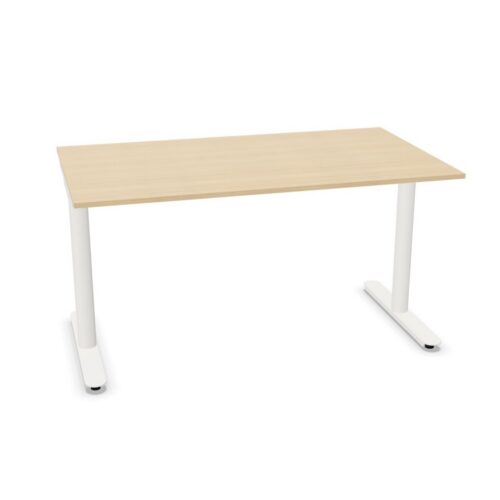
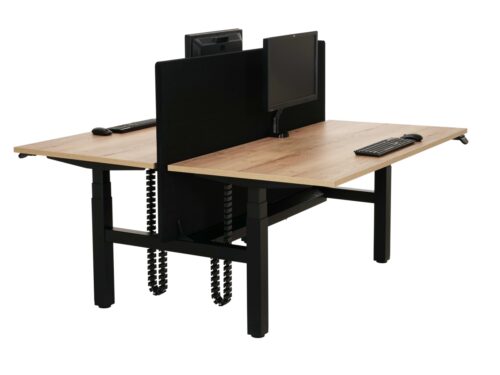
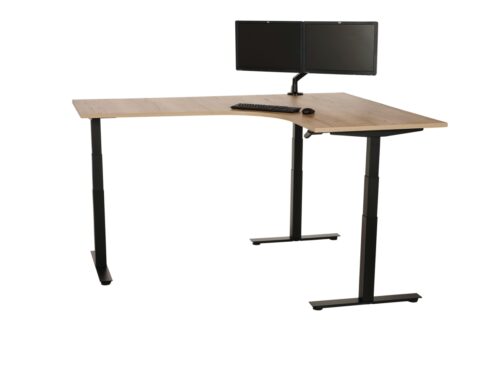
A straight desk can suit a focused individual workstation. A corner top may separate screen work from documents or make better use of a room edge. A duo desk provides neighbouring work positions that may need independent adjustment. Compare the exact top and frame to the people, equipment and route around them.
For a shared desk, plan cables and accessories per station. One person’s height change should not tug a neighbour’s monitor or lead. Check whether screens, lamps and under-desk storage can move with the top without hitting the frame or nearby furniture.
Set a useful working position
A connected control does not determine the right height for a user. Begin with feet, chair and work surface, then adjust the desk so the arms and screen can be used comfortably. When standing, review the same equipment and the space for feet. A preset may speed up a change, but it should be checked against the actual posture.
Bluetooth-controlled sit-stand desks can serve people who alternate positions through the day. The value lies in making those changes practical, not in counting movements. Choose a routine that fits the task and the person, and ensure the desk can reach the positions they actually need.
Plan power and movement
Bluetooth-controlled sit-stand desks require power even when the control signal is wireless. Position the outlet so the motor lead remains clear through the desk’s travel. Monitors and other devices also need cable slack. Route connections away from moving parts and from the space where a user’s feet and chair will be.
Check the path above and below the top. Shelves, windowsills, dividers and wall-mounted screens can interfere with a rising desk. A corner desk may have more edges near surrounding furniture, so inspect the entire top rather than one convenient point.
Consider privacy and access
Where an app is involved, decide who will manage accounts, device permissions or shared access according to the product’s instructions. A desk used by one person presents a different situation from one used by a changing team. Make sure the control method fits the workplace’s normal device policy and that users can operate the desk reliably.
The app interface should be understandable to the people using it. Test pairing and adjustment in the installed setting if possible, including any obstacles that may affect connection. Confirm how the desk behaves if the wireless connection is unavailable.
Compare the complete workstation
Look at the desk’s surface, leg room, movement and controls together. Confirm the permitted load for monitors and accessories, particularly on a corner or dual workstation. The frame should support the chosen top and remain practical at the heights people will use.
Choose Bluetooth-controlled sit-stand desks when the wireless feature fits the actual routine. A clear local setup, suitable working positions and a thoughtful cable plan make the connected function useful within a complete workstation.