

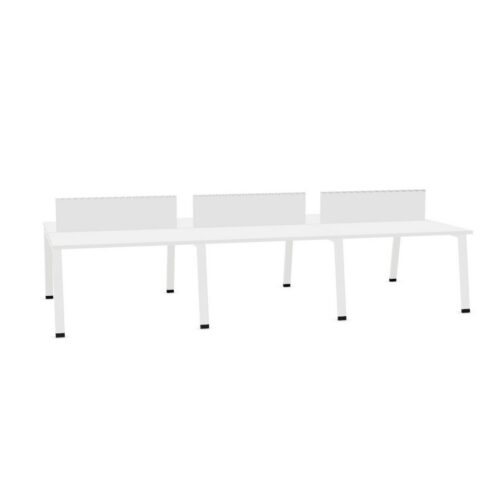
Desks with a blue work surface and the no-cable-tray option

This selection of desks with a blue work surface and the no-cable-tray option gives office planners a defined basis for comparing desk listings. When workplace planners assess a project room, they can record the blue work-surface colour and the no-cable-tray configuration beside the requirements for team briefings.

When procurement leads compare the current workstation option, start with the blue work-surface colour, then test the no-cable-tray configuration against the available space for movement through the space before the desk arrangement is agreed. The selected desk specification gains context from the office. Consider the blue work-surface colour, the no-cable-tray configuration and access to power together before deciding how to arrange collaborative planning workstations. When a private office is shared, team coordinators should review the no-cable-tray configuration, ask who relies on the blue work-surface colour and check the access route.

3 models
From €27.53 p/m
3 models
From €44.81 p/m
5 models
From €27.43 p/m
2 models
From €7.99 p/m
5 models
From €20.42 p/m
4 models
From €1.17 p/m
3 models
From €6.42 p/m
12 models
From €4.31 p/m
3 models
From €41.70 p/m
24 models
From €6.52 p/m
2 models
From €30.71 p/m
€75.20 p/m
2 models
From €37.52 p/m
21 models
From €50.53 p/m
€22.35 p/m
2 models
From €3.28 p/m

Using the filter in a project brief

Check the connection with existing finishes alongside the selected desk features; together, these points show how the selected desk specification fits within the planned workspace. Assess the blue work-surface colour alongside the no-cable-tray configuration before confirming the choice. When the planning team reviews the specified desk, use the connection with existing finishes as a practical test and note how the no-cable-tray configuration and the blue work-surface colour influence the planned furniture decision. A workplace review can link the blue work-surface colour with a considered furniture arrangement; considering the no-cable-tray configuration at the same time maintains the selection grounded in everyday activity. A furniture brief for the listed configuration brings together the no-cable-tray configuration, the blue work-surface colour, the intended users and the office purpose.

Building a practical comparison

Procurement teams can make the review more specific by noting the blue work-surface colour, the no-cable-tray configuration and the requirements that matter to the desk users. The relevant question for procurement leads is whether the blue work-surface colour and the no-cable-tray configuration match the desk users and the daily pattern of use. For online meetings, small planning decisions affect how people settle into a work area. Check the blue work-surface colour against the planned furniture already in place before treating the project desk brief as complete. Keep the no-cable-tray configuration visible in the comparison. The space brief for a focused work area can record the blue work-surface colour, the no-cable-tray configuration and the relationship with nearby storage together, giving colleagues a concrete basis for comparison.

Reviewing the fit-out requirements

For the planned online meetings, check the working position’s relationship with access to the planned workstation; include the no-cable-tray configuration and the blue work-surface colour in the same review. In a project note, explain how the blue work-surface colour affects the workstation choice and how the no-cable-tray configuration relates to access to power. For a new fit-out, compare the selected desk configuration with the existing furniture plan and keep chair-to-desk clearance visible in the office project notes. For short team check-ins workstations, begin with movement through the space and the location of equipment; then confirm how the no-cable-tray configuration and the blue work-surface colour affect the furniture plan.

Relating the workstation to the space plan

The working position should support the full activity, so office managers can review the no-cable-tray configuration and the blue work-surface colour against access to the desk setup before finalising a studio workspace. Beyond the visual impression, compare the blue work-surface colour with the proposed plan when nearby desks are occupied; the selected arrangement should fit both a multi-purpose room and its regular activities. Record how the no-cable-tray configuration relates to the workplace brief. A project brief becomes more specific when workplace consultants record chair clearance, identify the blue work-surface colour and explain how the no-cable-tray configuration affects the desk setup plan. The selected filters describe separate parts of a desk. Consider the blue work-surface colour with the no-cable-tray configuration, then connect both to a cohesive office arrangement in a project room.

Frequently asked questions

Which project details matter when comparing desks with a blue work surface and the no-cable-tray option?

The filter brings together the blue work-surface colour and the cable-tray choice, giving planners a narrower brief for project spaces. Room planning connects product choices with daily routines; use the path between work areas to test how the chosen desk specification work in context. The proposed shortlist should explain how the blue work-surface colour and the cable-tray choice suit the task. For short team check-ins workstations, begin with access around the desks and the location of equipment; then confirm how the cable-tray choice and the blue work-surface colour affect the proposed plan.

What should a team check alongside desks with a blue work surface and the no-cable-tray option?

The product specification should make the blue work-surface colour clear; compare the cable-tray choice with the practical demands of the space. For a planning area, office administrators can begin with the cable-tray choice, then test the blue work-surface colour against where power and equipment will sit while planning daily desk work. People entering an open-plan workplace notice more than the workstation itself; relate the chosen details to clearance for standing and walking and the adjacent furnishings before finalising the project plan. Keep the blue work-surface colour and the cable-tray choice together in the project desk brief.

How do these workstation details relate to day-to-day tasks?

These desk details are most useful when checked against screen positions in the proposed work area. For a new fit-out, compare the listed configuration with the existing furniture plan and keep how the workstation sits within the space visible in the workplace project notes. Keep the blue work-surface colour and the cable-tray choice together in the desk requirements. Before setting up client conversations in a multi-purpose room, weigh the blue work-surface colour against the cable-tray choice; the proposed plan when nearby desks are occupied provides a way to review the intended workstation.

Explore related selections