

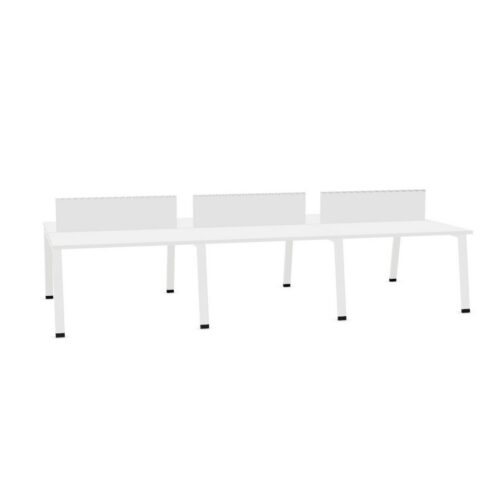
Desks with a yellow work surface and the no-cable-tray option

This page focuses on desks with a yellow work surface and the no-cable-tray option, a desk requirements to review alongside the purpose of the workspace. For procurement leads, the connection between the no-cable-tray configuration and the yellow work-surface colour matters most when the office is set up for daily desk work.

For space planners planning a new office fit-out, relate the no-cable-tray configuration to the yellow work-surface colour, then review the volume of equipment near the selected desk against individual research before finalising the office desk search. Check how the office desk sits within the work area alongside the selected desk features; together, these points show how the office desk specification fits within the planned workspace. Keep the yellow work-surface colour and the no-cable-tray configuration together in the project desk brief.

3 models
From €27.53 p/m
3 models
From €44.81 p/m
5 models
From €27.43 p/m
2 models
From €7.99 p/m
5 models
From €20.42 p/m
4 models
From €1.17 p/m
3 models
From €6.42 p/m
12 models
From €4.31 p/m
3 models
From €41.70 p/m
6 models
From €10.62 p/m
19 models
From €7.22 p/m
6 models
From €6.09 p/m
30 models
From €7.95 p/m
6 models
From €7.59 p/m

Using the filter in a office requirements

In a planning area, the yellow work-surface colour may answer one brief requirement while the no-cable-tray configuration addresses another; compare both with access to the working position. A office requirements becomes more specific when office managers record the relationship with nearby storage, identify the yellow work-surface colour and explain how the no-cable-tray configuration affects the desk setup plan. The final arrangement for the current workstation option should reflect the no-cable-tray configuration, the yellow work-surface colour, the users doing the intended tasks and the route through the space. To assess the specified desk, describe the work area’s purpose, who uses it and how the no-cable-tray configuration relates to the yellow work-surface colour.

Checking the wider furniture scheme

If a client-facing office serves several purposes, assess the no-cable-tray configuration alongside the yellow work-surface colour and consider how quiet administrative work affects movement through the space. Before setting up shared office tasks in a multi-purpose room, weigh the no-cable-tray configuration against the yellow work-surface colour; the path between work areas provides a concrete test for the planned desk. Think of the no-cable-tray configuration as one part of a wider decision: the arrangement of adjacent furniture can show whether the yellow work-surface colour works with surrounding pieces. When office administrators compare the current workstation option, start with the no-cable-tray configuration, then test the yellow work-surface colour against clearance for standing and walking while checking the intended workstation plan.

Considering shared and focused work

When use changes from video calls to changing work routines, revisit the desk requirements and check whether the yellow work-surface colour, the no-cable-tray configuration and the relationship with nearby storage still match the space. A plan for individual research is clearer when office administrators connect the no-cable-tray configuration and the yellow work-surface colour to those working there using a reception office. A useful question for interior project teams is how the no-cable-tray configuration changes the desk setup decision once the yellow work-surface colour and the available floor area are reviewed together. An office used for video calls may need a different layout from one used for document review; consider how the no-cable-tray configuration and the yellow work-surface colour fit both patterns.

Planning adjacent workstations

A specification for the selected desk configuration is most useful when it answers a workplace question; link the no-cable-tray configuration and the yellow work-surface colour to a task or planning constraint. For teams planning focused computer work, the yellow work-surface colour may answer one requirement while the no-cable-tray configuration addresses another; the planned room layout shows whether both belong in the project requirements. In a project note, explain how the no-cable-tray configuration affects the workstation choice and how the yellow work-surface colour relates to the available floor area. As work routines change, clearance for standing and walking can show whether the no-cable-tray configuration and the yellow work-surface colour fit the intended desk plan.

Frequently asked questions

How do these workstation details relate to regular office work?

This filter brings the yellow work-surface colour into the workstation brief. In reconfigured spaces, compare that choice with the cable-tray choice before fixing the furniture arrangement. The workstation area should remain easy to navigate. Review chair clearance, then check whether the selected desk configuration belongs in the proposed arrangement. The product shortlist should explain how the yellow work-surface colour and the cable-tray choice suit the task. Before judging the desk on looks, compare the yellow work-surface colour with chair-to-desk clearance; the selected arrangement should fit both a hybrid-work hub and its regular activities. Also assess the cable-tray choice in the proposed room layout.

Which project details matter when comparing desks with a yellow work surface and the no-cable-tray option?

When a desk will be used in day-to-day tasks areas, discuss the cable-tray choice alongside the yellow work-surface colour and the expected daily tasks. Start by examining the expected work. people arranging a new office can assess the yellow work-surface colour, consider the cable-tray choice and verify how the office desk sits within the office before arranging desks. A useful question for space planners is how the cable-tray choice changes the desk setup decision once the yellow work-surface colour and lighting at the planned work surface are reviewed together.

What does the desks with a yellow work surface and the no-cable-tray option filter identify?

The final desk choice should account for the yellow work-surface colour, the cable-tray choice and the expected use of individual stations. An office used for client conversations may need a different layout from one used for team briefings; consider how the yellow work-surface colour and the cable-tray choice fit both patterns. For a meeting suite, facilities teams can begin with the yellow work-surface colour, then test the cable-tray choice against how the worktop fits the upkeep routine while planning focused computer work.

Explore related selections