

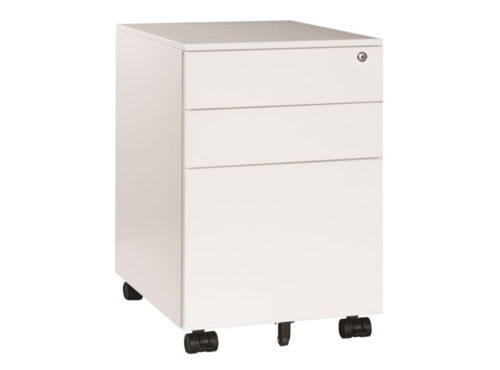
Cabinets with One Hanging File Frame and Metal Doors

Cabinets with One Hanging File Frame and Metal Doors

Browse cabinets listed with one hanging folder frame and metal doors. The filters narrow the catalogue but do not specify the frame’s exact format, door construction or included fittings. Check the selected model’s full information before comparing it with the filing task. Verify the frame format, door components and available interior space for the selected model. Confirm the supported folder size, supplied fittings and intended storage configuration.

Metal doors can differ in panel design, surface treatment and hardware. Review product descriptions and images to see how doors, frame and interior fit together. Confirm compatible folders and loading information from the manufacturer.

Compare storage capacity, user access and room fit. Measure the intended contents and location, then follow product-specific assembly and care guidance.

13 models
From €3.20 p/m
10 models
From €21.87 p/m
2 models
From €14.47 p/m

Check folder frame compatibility

Confirm that the frame is supplied and identify the supported folder size. Product families can use different frame arrangements. If a particular format is required, verify it for the exact model with the manufacturer or supplier.

Organise folders into clear groups and decide how active and archived records will be handled. Place frequent-use files where they can be retrieved easily and follow loading instructions for the frame.

Understand metal doors

Metal describes a material category but does not detail the entire door assembly. Review the product for panel, frame, coating and hardware information. If a specification matters, request exact-model documentation.

Use care advice for the cabinet’s actual metal finish and other materials. Avoid unapproved cleaners, check hinges and handles routinely and retain the product reference for future service.

Plan combined filing and storage

Decide which materials belong on the hanging frame and whether other items will share the interior. Check shelf arrangement, clearances and door access. Prevent supplies from blocking folders or making the filing system difficult to use.

For shared cabinets, assign a person to maintain file categories and remove records that no longer belong. Refresh labels as work changes. A clear routine helps the frame remain accessible to authorised users.

Measure placement and access

Check overall dimensions, door swing and user approach. Confirm that the frame can be used comfortably from the intended location and that delivery and assembly are practical.

After setup, test door operation and folder movement. Keep assembly and loading instructions with facilities records. If moving the cabinet, review its position and filing access again.

Compare the complete specification

Review frame type, folder compatibility, metal door construction, interior layout, dimensions and care. These details determine fit more accurately than the filter pair. Record the exact model for maintenance and future procurement.

When selecting an alternative, verify every component independently. Matching frame and metal-door values do not mean the cabinet has identical capacity or construction.

Product use and records

At handover, show users how to access and secure the cabinet and where filing instructions are stored. Review frame condition and metal door care periodically. Update key responsibilities as staff change. Before the cabinet enters service, establish how files are labelled, who can access them and how keys are managed. Make sure users know the supported folder format and where product instructions are kept. Review the system after projects finish or team responsibilities change. Check the metal surface and frame during routine maintenance, and record the exact model for repairs. If the cabinet moves, reassess user approach and door clearance so filing remains convenient and authorised access stays clear. A filing process should clarify active and archived groups, label conventions and key responsibility. Review it after staff changes so users know how to retrieve and return records. Check that the frame moves smoothly and that door access remains clear. Follow manufacturer advice for maintenance and keep instructions with the model reference. If the cabinet is relocated, check its fit and user approach. Such a handover supports secure, orderly filing without assuming the metal-door filter specifies every detail.

Frequently asked questions

Does metal specify the full door design?

No. Check product details for panel, coating and hardware.

Which folders are supported?

Use the model’s stated frame compatibility.

What helps maintain shared filing?

Clear file categories, regular reviews and an assigned owner.

Explore related selections