

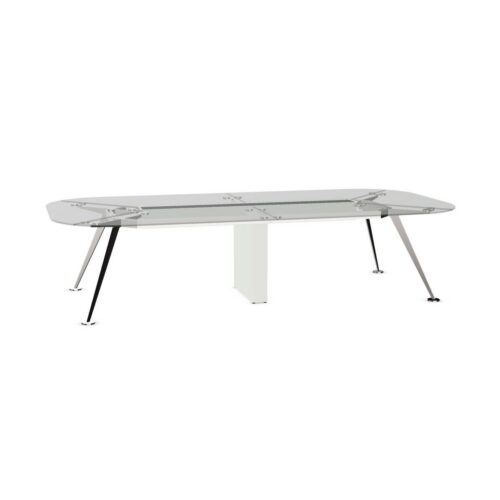
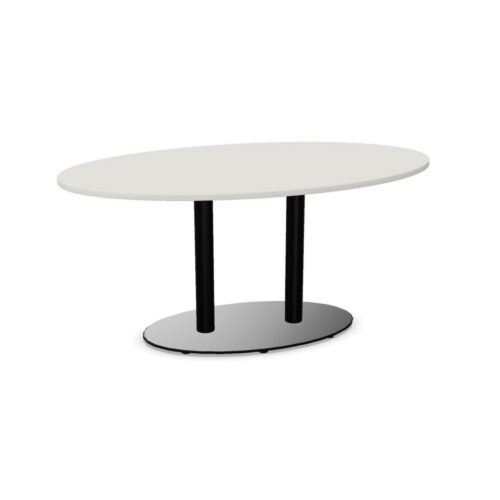
Oval Meeting Tops With Cable Trays

Conference tables with oval tops and a cable tray combine a curved meeting outline with dedicated cable organization. This combination deserves attention where the same room hosts conversation, laptop work and presentations. The oval shape influences how participants face one another and shared information, while the tray needs to relate sensibly to the devices used at those positions. Neither aspect should be planned in isolation from the room.

Consider where shared equipment will sit, where its connection originates and how participants approach their chairs. Then check the tray’s actual location and the routes needed to reach it. Curved end positions may have different relationships to equipment from positions along the sides. A useful assessment follows those differences through a typical meeting: connecting before the session, switching between discussion and screen use, and removing temporary leads afterward. Keep the room’s walking routes part of that assessment throughout.

13 models
From €8.10 p/m
18 models
From €19.86 p/m
10 models
From €29.42 p/m
2 models
From €54.57 p/m
10 models
From €39.97 p/m
5 models
From €57.99 p/m
€65.01 p/m
24 models
From €23.43 p/m
7 models
From €18.90 p/m
9 models
From €81.69 p/m
4 models
From €36.10 p/m
4 models
From €25.60 p/m
7 models
From €26.51 p/m
6 models
From €10.95 p/m
5 models
From €27.63 p/m
2 models
From €58.29 p/m
3 models
From €22.00 p/m
20 models
From €16.42 p/m

Organizing devices on conference tables with oval tops

Begin by distinguishing equipment that remains in the room from devices brought to individual meetings. Give shared equipment an agreed working position, then follow its leads toward the tray and the relevant room connections. Personal devices can be considered around that established arrangement. Review the side positions and curved ends separately, since the path from a device to the tray may differ. Keep shared items from occupying the working area needed by a participant. The presence of cable organization is useful, but the actual relationship between equipment, the tabletop outline and seated users still needs a practical check.

Place the presenter where views and routes agree

The most convenient presentation position should work for both speaking and connecting. Check whether the host can see colleagues, use their notes and reach the display route without crossing a busy chair approach. Participants around the oval should also be able to follow the presentation from their usual positions. Once the viewing arrangement works, trace the host's cable journey through the tray route. If the connection conflicts with circulation, revisit the presenter position or table orientation. Avoid making the room depend on a lead being moved whenever someone enters, leaves or stands to contribute during a session.

Check connections at the curved ends

Conference tables with oval tops invite an assessment around the whole perimeter, including the places where seating direction changes. At the curved ends, test where a laptop would sit and how its lead would leave the working area. Look for routes that intrude into a neighboring participant's notes or chair approach. Do not assume the tray serves every position in the same way. The actual tray location and access should guide the connection plan. If some positions are intended mainly for conversation, make that arrangement clear when preparing meetings that involve extensive individual device use.

Build a repeatable preparation routine

Before the room is occupied, check that shared leads follow their agreed paths and that temporary connections can be added as intended. Inspect how the tray is reached rather than assuming participants can access it easily while seated. After a meeting, remove personal leads and restore shared equipment to its usual position. Check the approaches around the curved ends, where a forgotten cable can interfere with someone taking a seat. Keep the routine focused on the room's actual equipment. A tray does not establish electrical provision, so connection requirements should be confirmed independently of cable organization.

Frequently asked questions

Can every participant expect the same cable access?

That should be checked at each intended position. The oval outline and the tray's location may create different routes from different seats. Review personal working areas, neighboring chairs and the path to room services before setting expectations for connected meetings.

Does the tray replace a room connection plan?

No. It organizes cables along part of their route. The room still needs a clear arrangement for bringing connections to the table and reaching devices, including any shared presentation equipment used by the host.

What should be compared for mixed meeting formats?

Assess conference tables with oval tops during both device-led work and open discussion. Check whether equipment can stay in its agreed place while participants turn toward colleagues or a display, and whether temporary leads can be removed without disrupting the next session.

Explore related selections