

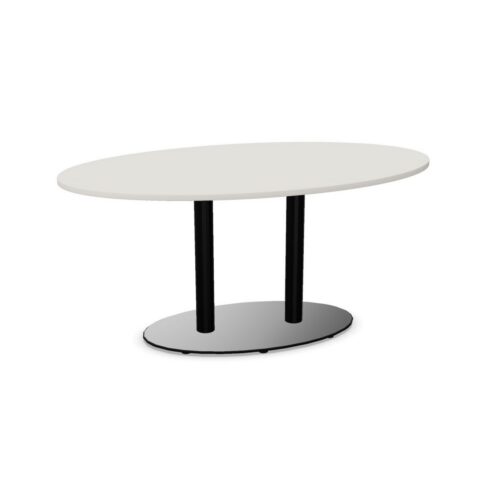
Rounded-Side Conference Tables With Cable Trays

Conference tables with tops rounded on both sides combine curved working edges with a cable tray for organizing leads beneath the tabletop. This pairing brings seating direction and connection planning into the same decision. Where participants sit along the actual curve affects how they face one another, where devices rest and how cables reach those devices from below.

Assess the room through a typical connected meeting. Establish the intended seats, shared display and room supply route, then examine the relationship between the base, tray and cable access. A tray does not establish electrical outlets or a route through the tabletop, and rounded sides do not determine the remaining shape or support arrangement. Reviewing these elements together helps identify a practical setup for discussion and device use. Keep movement behind occupied chairs and access for setting up equipment part of the assessment from the beginning.

13 models
From €8.10 p/m
3 models
From €39.32 p/m
2 models
From €18.08 p/m
2 models
From €5.54 p/m
10 models
From €14.47 p/m
10 models
From €29.42 p/m
5 models
From €57.99 p/m
24 models
From €23.43 p/m
4 models
From €36.10 p/m
19 models
From €11.23 p/m
19 models
From €12.96 p/m
9 models
From €4.37 p/m
3 models
From €5.45 p/m
7 models
From €26.51 p/m
8 models
From €5.66 p/m

Connecting Conference Tables With Tops Rounded on Both Sides

Map the intended device positions before deciding how cables should run through the tray. At a rounded section, neighboring working positions may face different directions, so a shared cable exit may not serve each position equally well. Inspect how leads actually reach the surface and how they approach equipment. Conference tables with tops rounded on both sides need connection planning that follows their real seating arrangement. The cable tray organizes only part of the route; include the room supply and exposed sections in the assessment. Keep any separate power equipment and tabletop access features distinct from the tray itself when evaluating the setup.

Checking the Relationship Between Curves and Chairs

Use the actual perimeter to establish chair positions, then check the space beneath each position. The rounded outline does not reveal the support arrangement or the location of the cable tray. Look for a workable relationship between the chair, the participant's leg movement and the cable route. Consider how someone approaches the seat while carrying meeting materials or a laptop. If a chair is moved to improve conversation or viewing, make sure that change does not pull against a connection. The seating plan should remain practical during ordinary adjustments, not only when every chair is placed precisely for an empty-room assessment.

Supporting Discussion Alongside Screen Work

Meetings often move between speaking, reading and viewing shared content. Check whether the chosen positions allow those transitions without repeatedly shifting devices or reaching across leads. With conference tables with rounded sides, chair direction along the curve deserves attention when the display is fixed to a wall. Test views from the occupied positions and decide where connected devices are genuinely needed. Some working areas may be used primarily for conversation or paper. Keeping their cable requirements proportionate to their use can make the overall arrangement easier to understand and leave shared document areas available for the activity at hand.

Organizing Access for Setup and Room Changes

A cable tray needs an operating routine as well as a route. Decide how retained leads are identified, how temporary connections are removed and where equipment is stored after meetings. Keep access to the tray practical for the people who prepare the room. If the table is repositioned, disconnect the room leads first and review their approach afterward. Rounded sides may change the visual relationship with surrounding furniture, but the new position still needs a full circulation check. Review movement around occupied chairs and confirm that the cable route remains separate from the paths used to enter, leave and reach shared room facilities.

Frequently Asked Questions

Does the tray establish how devices connect?

It establishes a place for organizing cables beneath the top. Sockets, charging equipment and access through the tabletop need separate assessment. Check the complete route to each intended device position before relying on the arrangement.

How should cables relate to rounded seating edges?

For conference tables with tops rounded on both sides, review cable approaches at the actual working positions. Keep leads clear of neighboring materials and chair movement, and allow for the direction participants face along the curve.

What needs checking after moving the table?

Review the room supply route, access to the tray, display views and circulation around occupied seats. Reconnect equipment only after the revised arrangement is clear, with cables kept away from the routes people use through the room.

Explore related selections