

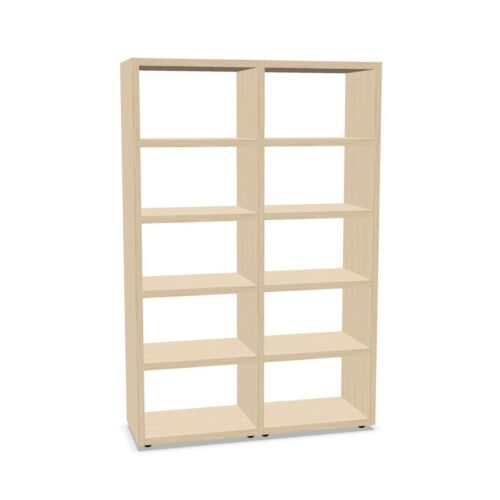
Office Cabinets with No Hanging File Frame and Eight Shelves

Office Cabinets with No Hanging File Frame and Eight Shelves

This selection contains cabinets assigned eight shelves and no hanging folder frame. The filters help focus the catalogue, but do not show the precise shelf layout, spacing or whether the configuration can be changed. Review the exact product documentation before planning storage. Check the internal clearances and consider how users will reach each level. Verify the exact model.

Eight shelves create multiple levels, yet usable space depends on each compartment’s dimensions and the cabinet’s internal design. Confirm what is supplied and how items can be reached. If a hanging-file system is needed, check compatibility rather than assuming it can be added.

Compare the cabinet with the contents, room and daily access needs. Use model-specific dimensions, loading guidance and installation details to make a practical choice.

10 models
From €4.78 p/m
23 models
From €5.17 p/m

Confirm the eight-shelf arrangement

Check whether all shelves are included and how their positions are set. Product information should clarify if they are adjustable and what load limits apply. A shelf count alone does not tell you the size or accessibility of each compartment.

Measure the materials to be stored and compare them with internal clearances. Consider the door design and how users will retrieve contents from each level. Plan for safe handling rather than filling every compartment without regard to access.

Check whether filing frames can be used

The no-frame value signals a catalogue classification. If hanging files are necessary, ask whether the particular cabinet supports the relevant frame or fitting. Confirm this with the manufacturer and check what is included with the product.

If the cabinet will be used for shelf-based records, decide how folders will be grouped and labelled. Keep the most frequently used items within accessible positions and reserve other levels for less frequent storage as appropriate.

Make multiple shelves easy to manage

An eight-shelf cabinet can hold distinct groups, but too many undefined categories can make retrieval difficult. Establish a clear arrangement and make labels consistent. Assign an owner to review supplies and remove materials that no longer belong.

Check the system after team changes or project completion. Move categories if access patterns change and avoid placing heavy items where handling is difficult. This helps preserve usable space and keeps the cabinet from becoming cluttered.

Measure and plan installation

Review the cabinet’s external dimensions and clearance for doors and user approach. Check the route for delivery and any assembly requirements. Consider how users can reach different shelf levels safely in the selected location.

After setup, confirm shelves are secure, doors move freely and circulation is clear. Keep loading and assembly instructions with the model reference. Reassess access if the office layout changes or the cabinet is moved.

Use full product specifications

Compare interior dimensions, shelf adjustability, load guidance, door design, frame compatibility and care across models. Shared filters do not guarantee the same functional layout. Keep the exact product documentation for maintenance and future procurement.

If another cabinet is considered, confirm that its shelves and internal clearances meet current needs. Do not assume the same count provides the same organisation or capacity. Verify each candidate separately.

Ongoing review

Consider how the cabinet will be used before assigning a purpose to every shelf. Make the layout clear to colleagues and review it after projects end. Retain loading information for the selected model. Check that labels remain readable and current. The cabinet’s usefulness depends on contents fitting each compartment and users being able to reach them. Review shelf categories after projects finish and remove obsolete materials. Keep the product reference available for maintenance, and verify the actual measurements before replacing containers or choosing another unit. Keep a list of what belongs in each area when several people rely on the cabinet. A review after office changes can identify unused categories and improve access. Store current instructions with the product reference and note any changes to use or access.

Frequently asked questions

Are all eight shelves adjustable?

That varies by product. Check the specification for the selected cabinet.

Does no frame rule out hanging-file accessories?

Not automatically. Confirm compatibility with the manufacturer.

What makes eight-shelf storage usable?

Appropriate spacing, clear categories, safe loading and convenient access.

Explore related selections