

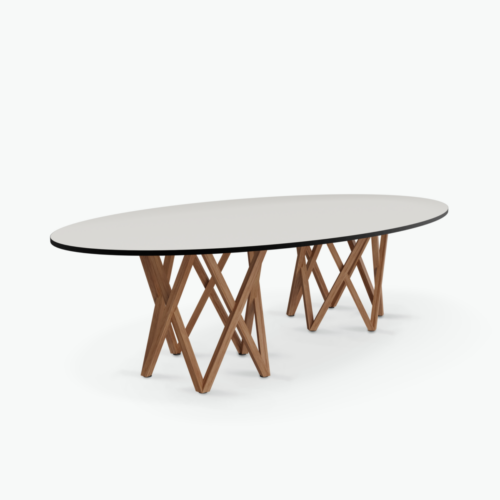
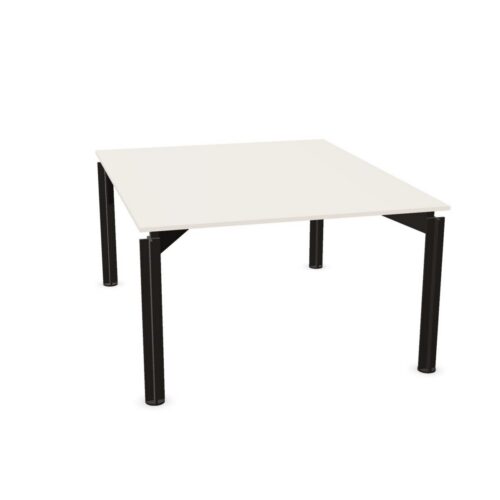
HPL Meeting Tops Without Cable Trays

Conference tables with HPL tops and no cable tray call for a room plan that treats the working surface and device routes as related decisions. HPL identifies the tabletop material, while the absence of a tray means cable organization needs another considered approach. Begin with how presentations are delivered and where participants usually place their own equipment during a session.

A screen-led meeting may create different connection routes from a project discussion based on papers. Trace those routes from the intended device positions to the room’s available connections, checking how they interact with chairs and the entrance. Then consider the actual tabletop appearance alongside nearby furniture. This gives the material choice a clear context without assuming a surface color, finish, support design or additional cable feature that has not been established.

2 models
From €18.78 p/m
8 models
From €30.61 p/m
10 models
From €16.65 p/m
9 models
From €22.04 p/m
18 models
From €27.49 p/m
6 models
From €28.06 p/m
11 models
From €8.94 p/m
4 models
From €30.13 p/m
3 models
From €30.93 p/m
2 models
From €25.99 p/m
2 models
From €17.92 p/m
24 models
From €57.27 p/m
3 models
From €25.22 p/m
11 models
From €15.25 p/m
2 models
From €58.07 p/m
2 models
From €19.07 p/m
4 models
From €23.04 p/m
5 models
From €16.03 p/m
9 models
From €14.80 p/m
3 models
From €2.77 p/m
2 models
From €227.52 p/m

Conference Tables With HPL Tops Without Cable Trays

Map the points where meeting activity changes. A presenter may move from a seated position to a display, while colleagues alternate between notes and their devices. With no cable tray, those transitions deserve particular attention because a connected device can influence where its user is able to sit or move.

Use the normal presentation routine to establish a workable table position. Identify where equipment starts the session, whether it changes hands and how it is removed afterward. This creates a more useful basis for planning than assuming the tabletop material will determine how the room handles connected work.

Protect the Route Between the Door and Chairs

Follow the path someone takes when joining a meeting already in progress. Check the entrance, the approach to seating and access to any storage used during the discussion. A cable route should be assessed against those movements, including the space occupied by chairs pulled back from the table.

If a connection would pass through a regular walking route, reconsider the device position or table orientation. The absence of a tray does not establish other connection details, so review the actual arrangement before deciding how equipment will be used. Keep the plan understandable for occasional room users as well as regular teams.

Relate HPL to the Room's Visual Priorities

The HPL material designation does not specify a color, texture or sheen. Compare the actual surface with chairs, wall finishes and nearby furniture. In a presentation room, also consider the view toward the display, where the table forms part of the foreground participants see throughout the meeting.

Compare conference tables with HPL tops while imagining the room in use. Papers and devices may occupy much of the surface, so assess their planned positions alongside the material appearance. The best visual relationship for the room should also accommodate practical document sharing and access to the equipment used regularly.

Make Occasional Equipment Easy to Put Away

Decide where shared presentation cables and devices belong after a meeting. Without a tray, they need an agreed destination when they are not in use. Include the steps for disconnecting equipment so the next group does not inherit loose cables around the table or across an approach route.

Keep that routine proportionate to the room's habits. A space used mainly for conversation may need a simple procedure for occasional presentations; a device-focused room needs a more detailed connection plan. Follow the relevant tabletop care instructions, and separate surface maintenance from assumptions about cable or electrical provisions.

Questions About HPL Tops Without Cable Trays

Where should a presenter connect a device?

Choose the position by reviewing the available room connections, the seated view and the route taken by the cable. Check that the presenter can participate without blocking chair access or circulation.

Do conference tables with HPL tops need a cable tray?

The requirement depends on the meeting routine and available connection arrangement. For this combination, no tray is present, so assess how devices will connect and where their cables will go.

Does no cable tray mean no other connection provisions?

No. The absence of a tray does not determine other features. Review any relevant connection details individually and use the actual room outlets and device positions to develop the cable plan.

Explore related selections