

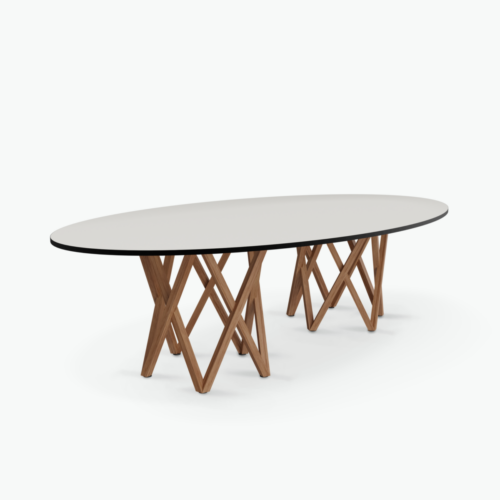
Elliptical Conference Tops Without Cable Trays

Conference tables with elliptical tops offer a continuously curved outline for meeting-room discussions. In this combination, there is no cable tray, so the seating plan and the approach to connected devices should be considered separately. The elliptical perimeter changes direction around the table, making some positions face shared information differently from others. It is useful to review these relationships before deciding where the table belongs in the room.

For conversations supported by notes, printed material or laptops running on battery power, begin with how participants will see one another and reach their working areas. For screen-led meetings, add the display position and any temporary cable routes to that assessment. A curved tabletop does not remove the need for clear chair approaches. Keep the entrance route and the space behind occupied chairs in view, especially near the ends of the ellipse where seating direction changes.

3 models
From €2.77 p/m
28 models
From €18.24 p/m
12 models
From €55.42 p/m
7 models
From €10.56 p/m
10 models
From €24.99 p/m
4 models
From €36.06 p/m
11 models
From €8.10 p/m
€8.32 p/m
€14.12 p/m
€10.80 p/m
26 models
From €8.36 p/m
8 models
From €8.63 p/m
€14.17 p/m
2 models
From €33.11 p/m

Seating around conference tables with elliptical tops

Assess positions around the full curve rather than treating the perimeter as a row of equivalent places. Near the ends, the direction a participant faces changes relative to colleagues along the sides. Try a discussion arrangement with chairs occupied, checking that people can turn toward the group and use their own working area comfortably. Shared papers should be placed where they can be passed or viewed without everyone leaning toward the center. The absence of a cable tray gives no indication of the table's support arrangement, so check the actual relationship between chairs, the tabletop and the space beneath it.

Let the agenda determine the focal point

An elliptical outline can be arranged around a conversation or oriented toward a presentation area. Decide which activity happens most often. For a discussion, consider whether participants can follow contributions from across the table without repeatedly turning away from their notes. For presentations, examine viewing angles from the curved end positions as well as the sides. A screen placed conveniently for the host may be less convenient for someone facing across the room. Use the expected meeting agenda to decide the orientation, then check that the entrance remains accessible when participants are seated and the discussion is underway.

Prepare for devices without built-in cable organization

Conference tables with elliptical tops without a cable tray require a deliberate plan when devices need wired connections. Identify where a lead will enter the meeting area and which participant will use it. Do not assume the curve provides a suitable route for loose cables. If most sessions use battery-powered laptops, make charging expectations clear before meetings begin. If continuous connections are routine, assess the external cable arrangement as part of the room layout. Keep leads away from the curved chair approaches and from paths used by people moving between the entrance, presentation area and their seats.

Keep the perimeter available for movement

The shape should be considered alongside occupied chairs, doors and other room furniture. Walk the likely route around each end of the ellipse and check where people pause to sit down or exchange documents. Avoid placing temporary equipment at a point that people need for circulation. A host who moves between the table and a display also needs an unobstructed route. After a meeting, remove temporary leads and return shared items to their designated places. This makes the next session easier to prepare and allows the curved perimeter to be assessed as a circulation boundary rather than a storage area.

Frequently asked questions

Must an elliptical table have a designated head position?

No. The meeting format can determine whether someone hosts from an end or sits alongside colleagues. Check the view of the group and any shared display from the proposed host position before making it the usual arrangement.

What changes when presentations are frequent?

The screen becomes an important reference for table orientation. Review the view from the ends and sides, then plan any presentation cable separately. Without a tray, the connection route needs attention beyond the choice of tabletop shape.

How can occasional wired connections be accommodated?

For conference tables with elliptical tops, agree a temporary route that avoids occupied chair approaches and room circulation. Set up the connection before participants arrive, and include removing the lead in the meeting reset so it is not left across a walking path.

Explore related selections