

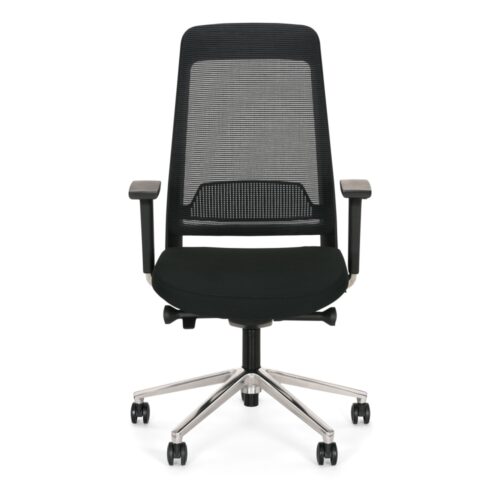
4D Armrest Office Chairs With Height-Adjustable Backrests

4D armrest office chairs with height-adjustable backrests offer adjustment at two separate contact areas: the backrest’s vertical position and the arm supports. For an office manager, the central task is to establish a setup sequence that lets users assess each area clearly. Moving several controls at once can make the result difficult to interpret. Begin with the employee’s normal seated position, then explore the backrest height and actual armrest movements while checking how the complete arrangement works at their desk.

The available adjustments do not establish the size of their ranges or the shape of the support surfaces. Office chairs still need an individual trial to show whether those features meet the user’s proportions and tasks. Ask employees to explain where they feel backrest contact and how their forearms sit during work. Confirm the precise directions and controls associated with the 4D armrests, then check desk clearance. Keep the findings connected so a useful setting in one area remains compatible with the other.

€11.25 p/m
€13.51 p/m
€4.49 p/m
10 models
From €7.46 p/m
15 models
From €8.36 p/m
3 models
From €10.09 p/m
28 models
From €11.77 p/m
€8.79 p/m
€10.43 p/m
€7.36 p/m
€13.51 p/m
€7.97 p/m
€10.23 p/m
€9.00 p/m
€9.00 p/m

Establish A Clear Adjustment Sequence

Start by identifying the back-height control and the armrest controls before asking the employee to change them. With 4D armrest office chairs with height-adjustable backrests, a staged approach makes each change easier to evaluate. Have the person settle into their normal seated position, adjust backrest height and describe the resulting contact. Then explore the arms while retaining that backrest setting. Return to the complete position after each change. This process does not assume any particular adjustment range or mechanism; it provides a way to connect the available movements with the user's experience at the workstation.

Evaluate Backrest Height Through Contact

Raising or lowering the backrest changes its vertical position, but the effect depends on its shape and the person using it. Ask the employee to try several available heights and explain where contact changes. Observe whether they continue to use the backrest while typing, reading and handling documents. When comparing office chairs, record useful height positions and any limitations encountered during the trial. Do not treat adjustable back height as proof of a separate lumbar adjustment or another backrest function. Those characteristics need their own inspection if they are relevant to the intended work arrangement.

Relate 4D Armrests To Working Hand Positions

Arm support needs to follow the task being assessed. For 4D armrest office chairs with height-adjustable backrests, ask users to place their hands at the keyboard and pointing device before exploring the available armrest settings. Check the actual movement directions, controls and travel rather than assuming the 4D description establishes identical operation across chairs. Observe whether useful forearm positions remain possible while the employee uses the chosen backrest height. Include approach to the desk, since contact between the arms and work surface may affect where the person sits. Recheck backrest use after any meaningful armrest change.

Help Staff Restore Their Own Settings

In a shared workplace, useful adjustments need to be understandable as well as available. Show users which controls affect the backrest and which affect the arms, then have them demonstrate a repeatable setup. Office chairs may require different settings for different employees, so personal observations are more useful than a single position prescribed for everyone. Record reference points where practical, without assuming numerical scales or memory functions are present. Encourage a brief task check after changes. Confirm other adjustments separately before adding them to the routine, and revisit the guidance if the desk equipment or regular users change.

Back Height And Armrest Questions

Should every control be changed at once?

A staged trial makes the effects easier to judge. With 4D armrest office chairs with height-adjustable backrests, explore backrest height and armrest positions separately, then assess them together during work. Keep useful settings while investigating another contact area.

Does adjustable back height establish lumbar adjustment?

No separate lumbar adjustment is established by the ability to raise or lower the backrest. Assess the backrest's contact through its available heights and inspect any other support controls independently before including them in the workstation setup.

What must be checked about the 4D arms?

Check their movement directions, usable ranges, controls and interaction with the desk. The employee should try actual hand positions while using the backrest. Adjustment availability alone does not establish that the resulting positions suit every person or task.

Explore related selections