

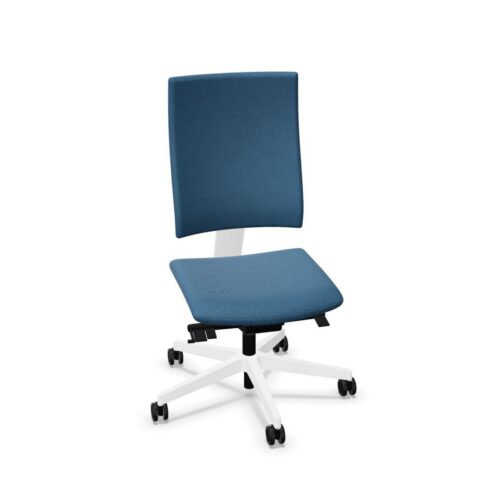
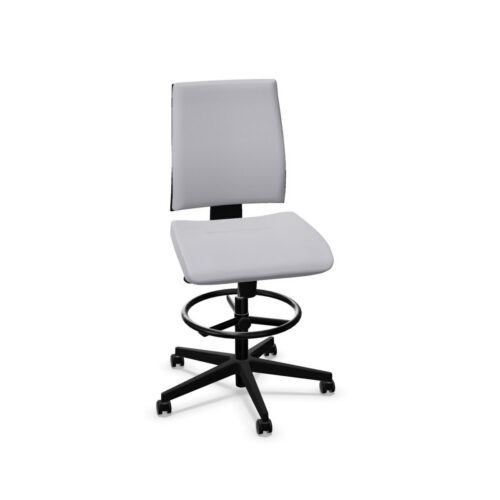
Office Chairs With Armrests And Height-Adjustable Backrests

Office chairs with armrests and height-adjustable backrests give workplace seating assessments a clear starting point: explore the backrest’s vertical position, then check how the arm supports relate to the employee and desk. The back height can be adjusted, while the presence of armrests alone does not establish their movement capabilities. For an office manager, keeping those facts distinct makes it easier to compare seating accurately and explain a setup process that reflects the controls actually available to each user.

Useful assessment starts with the employee’s work rather than a preferred arrangement of controls. Ask them to type, use their pointing device and handle the materials they normally need. Compare office chairs by observing where the backrest makes contact at different heights and how the arms interact with these activities. Confirm armrest dimensions and any adjustment functions independently. A final trial should bring both areas together, showing whether the person can use the chosen backrest position while approaching the desk and reaching equipment.

4 models
From €7.99 p/m
2 models
From €17.02 p/m
2 models
From €17.92 p/m
10 models
From €7.46 p/m
2 models
From €11.56 p/m
2 models
From €11.99 p/m
6 models
From €9.82 p/m
9 models
From €5.33 p/m
15 models
From €5.97 p/m
3 models
From €7.30 p/m
6 models
From €8.04 p/m
16 models
From €7.46 p/m
8 models
From €10.97 p/m
16 models
From €5.21 p/m
6 models
From €7.34 p/m
2 models
From €8.53 p/m
3 models
From €8.69 p/m
14 models
From €5.39 p/m
2 models
From €15.15 p/m
2 models
From €7.56 p/m
2 models
From €16.30 p/m
6 models
From €2.89 p/m
2 models
From €12.83 p/m

Build The Assessment Around Daily Activities

Choose representative tasks before asking the employee to explore settings. Office chairs with armrests and height-adjustable backrests should be assessed through the activities that define the workstation, including changes between them. Note how the person uses the backrest while typing and where their forearms sit during pointing-device work. Then introduce back-height adjustment and compare the resulting positions. This creates a task-based reference for judging each change. It also prevents a control demonstration from becoming the whole assessment, since the important result is how the person works with the backrest and arms in their usual desk arrangement.

Compare Back Contact At Different Heights

Show the user how to identify and operate the back-height control, following the chair's operating instructions. Ask them to try available heights and describe the difference in contact with their back. Observe whether the chosen position remains useful as attention returns to work. When assessing office chairs, distinguish adjustment availability from a suitable adjustment range for the individual. Neither the backrest's shape nor its travel is established here. A record of useful positions and unresolved concerns makes later comparison more informative than a general statement that the backrest can be moved up and down during setup.

Confirm The Armrest Details Independently

Armrests are included, but their position may require a different assessment from the adjustable back height. With office chairs with armrests and height-adjustable backrests, inspect the arms' spacing, height, shape and any available controls directly. Have the user repeat their main tasks while maintaining the chosen backrest setting. Check whether the arms interact with the desk edge or underside as the person approaches. If an adjustment is available, explore its actual range before relying on it. If no relevant movement is present, evaluate the existing armrest geometry against the employee's working position and the work surface.

Create Guidance Staff Can Apply Themselves

Turn the trial into a short setup routine that names the actual controls and explains what the user should check after moving them. Staff need to assess backrest contact, hand positions and desk access together, rather than copying another person's settings. Office chairs used by several employees should be tried by those employees, with attention to differences in proportions and tasks. Keep other functions outside the routine until independently confirmed. A clear process should also identify whom staff can contact if they cannot establish a suitable position, allowing unresolved fit concerns to receive a fresh assessment.

Questions About Back Height And Arm Supports

Are the armrests adjustable in this combination?

Their adjustment capabilities are not specified. Office chairs with armrests and height-adjustable backrests confirm the presence of arms and back-height adjustment. Inspect the armrest controls and usable positions independently before describing them as adjustable or including movements in setup guidance.

How should staff choose a backrest height?

Ask them to try available heights while seated normally, describe where contact changes and repeat their desk tasks. The appropriate setting needs an individual trial. The ability to change height does not by itself establish suitability for every user.

Why repeat tasks after adjusting the backrest?

A setting needs to work during activity as well as during adjustment. Repeating tasks shows whether the user continues to use the backrest and how the arms relate to their working hand positions, equipment access and approach to the desk.

Explore related selections