

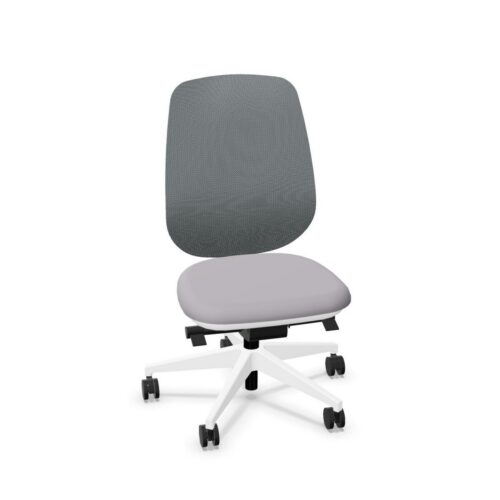
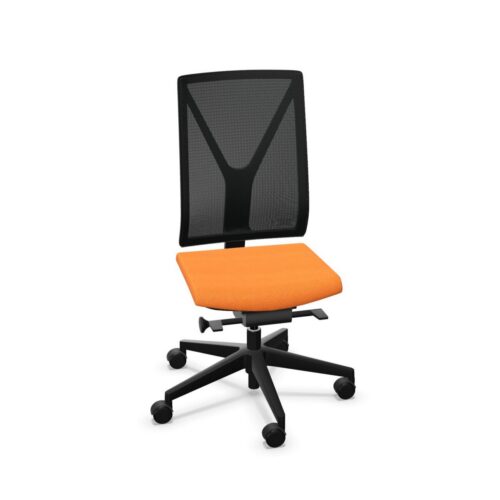
Armless Office Chairs With Height-Adjustable Backrests

Armless office chairs with height-adjustable backrests make the workstation part of the arm support assessment. The chair has no armrests, while its backrest can move vertically to change where it meets the user. Those features should be evaluated together during real desk tasks. Ask the person to establish a normal working position, adjust the backrest and explain where their forearms rest. Then check how easily they can reach the keyboard, mouse and other materials without losing the back contact they have just established during the initial setup.

An office manager should distinguish freedom beside the seat from suitable overall fit. The absence of armrests removes chair arms from the desk clearance check, but other dimensions and controls still matter. Likewise, adjustable back height provides a setting to explore rather than a guarantee that every user will find a suitable position. Compare office chairs with the intended colleagues, desks and task arrangements, paying attention to how the chosen backrest position works throughout ordinary movements.

10 models
From €7.46 p/m
2 models
From €11.56 p/m
2 models
From €11.99 p/m
6 models
From €9.82 p/m
9 models
From €5.33 p/m
15 models
From €5.97 p/m
3 models
From €7.30 p/m
6 models
From €8.04 p/m
16 models
From €7.46 p/m
16 models
From €5.21 p/m
2 models
From €8.53 p/m

Trace Forearm Support Through The Task

Start by watching a complete task sequence rather than asking the user to hold one pose. With armless office chairs with height-adjustable backrests, there are no chair armrests to use between typing, reading and reaching. Identify where the forearms rest during each activity and whether the working surface permits the required approach. Ask the user to describe any difficulty finding a workable position. This gives a more useful assessment than assuming that removing arms automatically resolves workstation fit, because the desk layout and the person's usual movements still shape the practical sitting arrangement.

Explore Backrest Height Deliberately

Test the backrest at several usable heights while keeping the task arrangement consistent. Ask where contact is felt and whether changing the height improves its relationship to the user's back. Check how the setting is selected and retained, then let the user repeat the process independently. Office chairs intended for shared workstations should be assessed by more than one person, since the useful position may differ. Do not infer backrest tilt or a separate lumbar adjustment from the height control. Those are distinct characteristics that require their own checks during the same comparison.

Assess Approach And Movement Beside The Seat

The open sides of armless office chairs with height-adjustable backrests warrant a practical movement trial. Ask users to approach the desk, turn towards a colleague and move away again, using the surrounding space as it normally exists. Although chair arms cannot collide with the desk edge, the seat, backrest and other parts of the chair still occupy space. Check the whole arrangement rather than judging clearance from the absence of one component. Include any usual documents or equipment beside the desk so the assessment reflects how the workstation is used during normal office activities.

Build A Simple Shared Seating Routine

For a shared desk, make backrest height adjustment an explicit part of the handover between users. Demonstrate the control, then check that colleagues can recognise when they need to change it. Include any other confirmed adjustments in a sensible setup sequence. Keep notes about the desk arrangement alongside notes about the chair, particularly where forearm support depends on the working surface. Comparing office chairs through the same task sequence helps an office manager distinguish a control that is available from one that colleagues can use confidently and consistently as part of their daily routine.

Armless Seating And Back Height Questions

Does an armless chair remove every desk clearance issue?

No. It removes chair armrests from that particular assessment, but the rest of the chair and workstation still need checking. Assess the user's approach, leg space and nearby furniture in the actual working arrangement rather than relying on appearance alone.

How should users choose their backrest height?

They should compare available positions while performing a familiar task and describe where the backrest contacts their back. Armless office chairs with height-adjustable backrests need an individual setup trial; the highest or lowest setting is not automatically the appropriate choice.

Where should forearms rest without chair armrests?

Assess that question within the intended task and workstation. Check how the person uses the working surface and moves between activities. The absence of chair arms does not establish a suitable desk arrangement, so observe the complete seated working position.

Explore related selections