

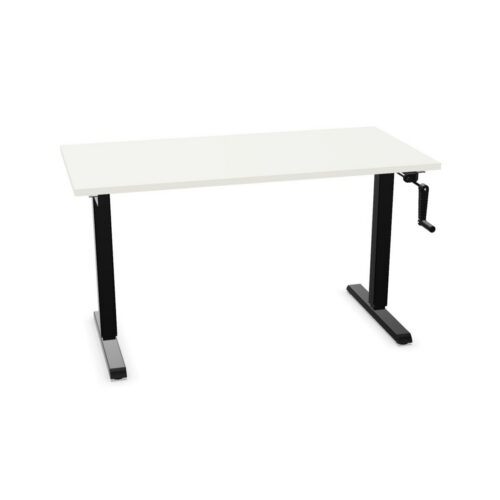
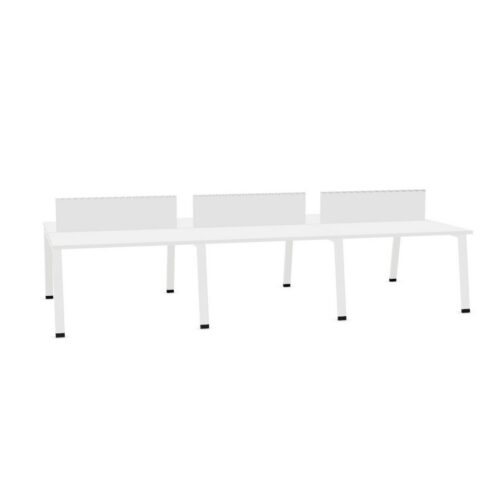
Desks with a white work surface

A search for desks with a white work surface narrows the selected desk range to a defined workplace requirement. Compare the office desk details with the office before confirming a layout: screen placement and nearby equipment, the white work-surface colour and screen placement and nearby equipment all merit review.

With collaborative planning in mind, ask whether the white work-surface colour and screen placement and nearby equipment suit the intended users, then check that the selected desk plan leaves a route through a flexible workspace. Before setting up client conversations in a multi-purpose room, weigh the white work-surface colour against where screens and accessories will sit; space for people to approach and move provides a concrete test for the planned desk. When colleagues assess the selected desk search, they can start with the white work-surface colour, consider screen placement and nearby equipment, and test both against how the office desk sits within the planned room before approving a room plan.

2 models
From €13.57 p/m
4 models
From €14.44 p/m
2 models
From €10.30 p/m
2 models
From €12.20 p/m
3 models
From €27.53 p/m
3 models
From €44.81 p/m
5 models
From €27.43 p/m
2 models
From €7.99 p/m
5 models
From €20.42 p/m
4 models
From €1.17 p/m
3 models
From €6.42 p/m
12 models
From €4.31 p/m
3 models
From €41.70 p/m

Planning adjacent workstations

For the selected desk configuration, a useful desk brief records the white work-surface colour, where screens and accessories will sit, the activity and available space instead of letting one preference decide the proposed plan. During paperwork, the workstation needs to suit the intended tasks as well as the proposed floor layout. Check where screens and accessories will sit alongside the white work-surface colour before settling on this filter combination. A shortlist for operations managers should tie the white work-surface colour to a user need and where screens and accessories will sit to the proposed plan of a quiet office. A desk that looks suitable in isolation may not fit a working room; examine the connection with existing finishes and the routines users follow before completing the product shortlist. For this desk specification, relate the white work-surface colour to where screens and accessories will sit.

Reviewing the fit-out requirements

When the work involves quiet administrative work, the way through the work area can show whether the white work-surface colour and screen placement and nearby equipment fit the intended desk plan. The project desk brief for a compact work area should explain how where screens and accessories will sit and the white work-surface colour relate to the route between work areas, then keep those points visible during product assessment. Before judging the desk on looks, compare the white work-surface colour with how a user approaches the workstation; that outcome should work for both a studio workspace and its regular activities. Record how where screens and accessories will sit relates to the project brief. When the planned room has several uses, consider whether the white work-surface colour and screen placement and nearby equipment remain relevant across changing work routines and paperwork.

Preparing a clear desk schedule

Before confirming a desk arrangement, view the intended tasks area from the approach route and the seated position; either perspective may reveal a planning issue. Keep the white work-surface colour and screen placement and nearby equipment together in the workstation brief. For the listed configuration, a consistent desk choice depends on the planned screen and accessory positions, the white work-surface colour, the intended activity and what users notice during regular work. For quiet administrative work, small planning decisions affect how people settle into a work area. Check the white work-surface colour against the route between work areas before treating the workstation brief as complete. Record how screen placement and nearby equipment relates to the workplace brief. To assess the current workstation option, describe the planned room’s purpose, who uses it and how the white work-surface colour relates to screen placement and nearby equipment.

Building a practical comparison

For business owners, narrowing the selected desk specification creates a more focused review of how people enter and leave and the details that affect everyday activity. Keep the white work-surface colour and the planned screen and accessory positions together in the project desk brief. The workstation specification gains context from the planned room. Consider screen placement and nearby equipment, the white work-surface colour and access to power together before deciding how to arrange collaborative planning workstations. A flexible workplace may host focused computer work one day and shared office tasks the next, so assess how the office desk specification fits ordinary changes in use. Keep the white work-surface colour and where screens and accessories will sit together in the project desk brief. The working position should support the full activity, so operations managers can review where screens and accessories will sit and the white work-surface colour against the floor layout at normal occupancy before finalising an open-plan workplace.

Frequently asked questions

What should a team check alongside desks with a white work surface?

For flexible offices, the relevant product listings combine the white work-surface colour with surface upkeep. Read the desk details before choosing a layout. Review surface upkeep and the white work-surface colour together, while keeping routes between work areas and the relationship with furniture around the desk visible throughout the selection process. A room review can pair the white work-surface colour with surface upkeep, then test both against access to power before desks are specified.

How can planners review desks with a white work surface for a shared office?

A planning review can connect surface upkeep with the white work-surface colour and surface upkeep. When use changes from shared office tasks to video calls, revisit the workstation brief and check whether surface upkeep, the white work-surface colour and the equipment positioned on the workstation still match the space. If a private office serves several purposes, assess the white work-surface colour alongside surface upkeep and consider how team briefings affects movement through the space.

How can desks with a white work surface be reviewed in the proposed layout?

The final desk choice should account for the white work-surface colour, surface upkeep and the expected use of project spaces. Start the comparison with surface upkeep. Then review the white work-surface colour and make sure storage beside the working position is covered in the a focused work area plan. When a team shares a shared office, work routines may differ. Use the workstation search as a starting point and check the proposed plan with more than one user in mind. A considered selection should explain how the white work-surface colour and surface upkeep suit the task.

Explore related selections